Excel TRIM Function
TRIM Function
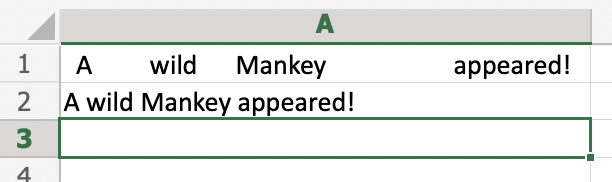
The TRIM function is premade in Excel and used to remove irregular text spacing and keep single spaces between words.
It is typed =TRIM
If you want to use the function on a single cell, write:
=TRIM(cell)
If you want to use the function on a range of cells, write:
=TRIM(start cell:end cell)
Note: Irregular spacing is unnecessary spacing within the dataset that can occur before, after or between text or numbers within a cell.
Example TRIM Function
Use Trim to tidy up irregular spaces in the dataset within the range A2:C21.
Note: To define the range, separate the range values with a colon symbol :
How to Use TRIM Function
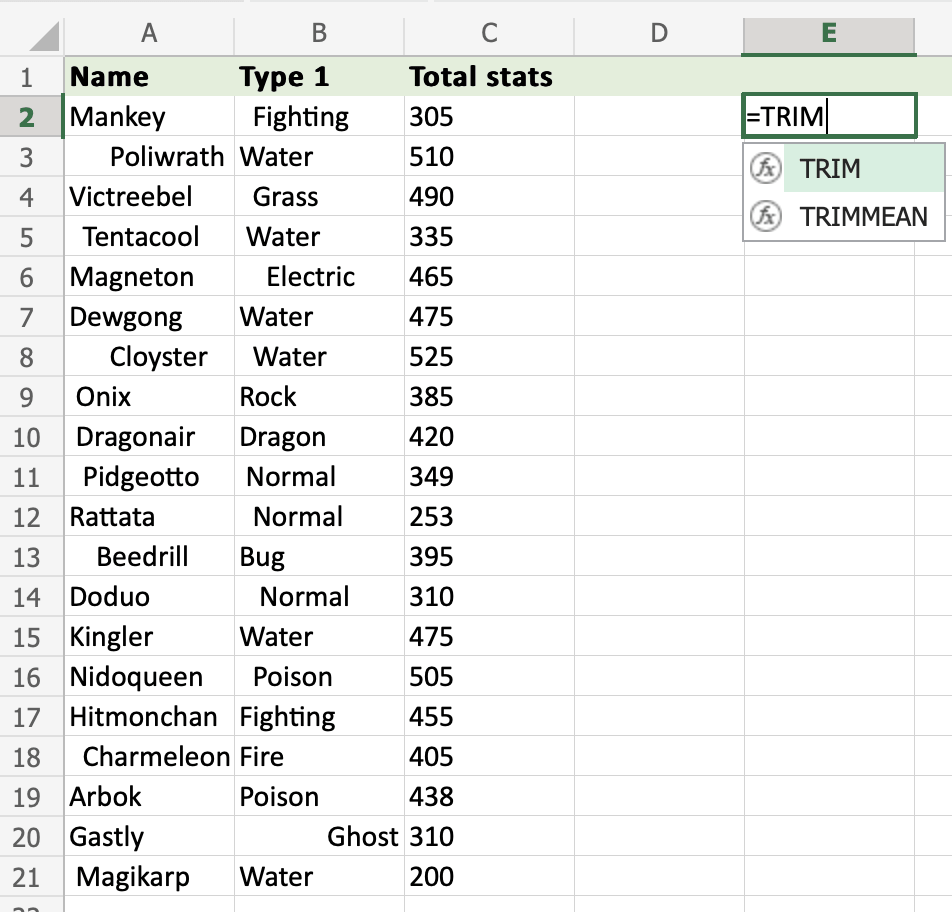
Step 1) Start the TRIM function
- Select a cell
E2 - Type
=TRIM - Double click the TRIM command
Step 2) Select a range of cells to be used in the TRIM function
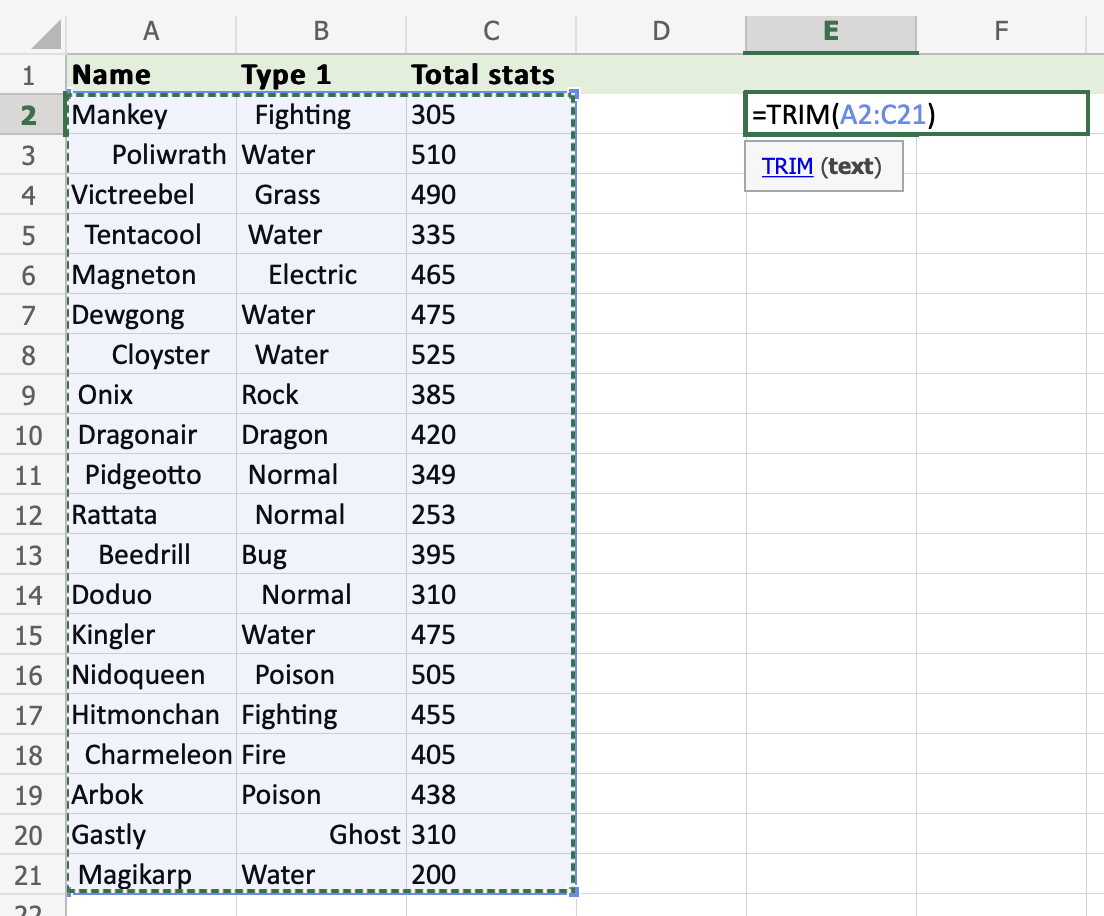
- Select a range (
A2:C21) - Hit enter

Try it yourself!
Copy the values in the example above and try it on your own!
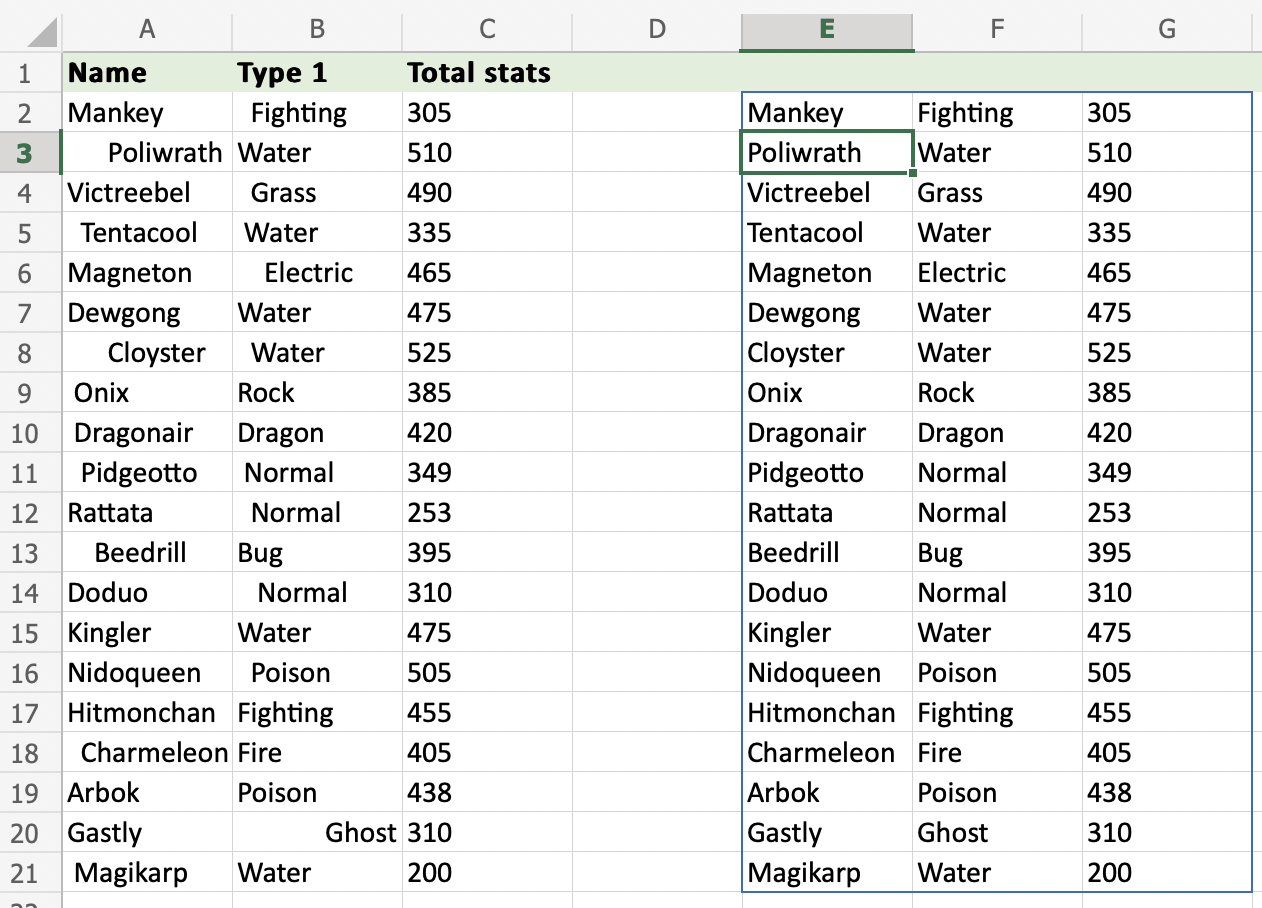
The range of values will be tidied up.
The function returns a dataset formatted without irregular spaces:
Step 3) Use the TRIM function with spacing between text:
Use =TRIM function by following the steps in the example above to format the text:
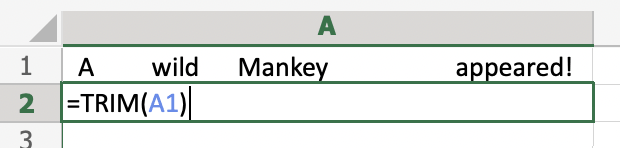
The text looks much better now!